Time-bound admin sessions
Local administrator for a fixed window, enforced by the agent on the device and removed automatically.
Endpoint privilege management for Windows
People get administrator rights on their own device only when they need them. A policy or an approver decides, the rights remove themselves when the time is up, and every program run as admin is on record.
How it works
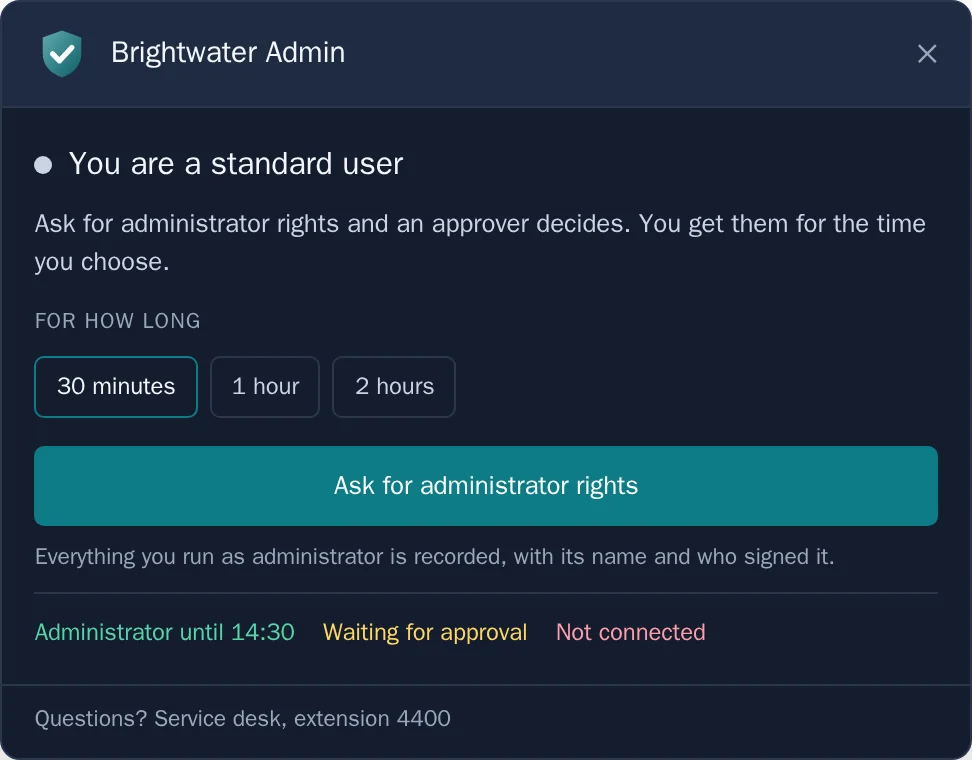
From the tray icon on their Windows device: for how long, and why.
The policy grants it straight away, refuses it, or sends it to an approver, who decides in the portal with a reason.
The agent removes the rights when the window closes. Every program started as administrator is logged, with its path and who signed it.
Features
Local administrator for a fixed window, enforced by the agent on the device and removed automatically.
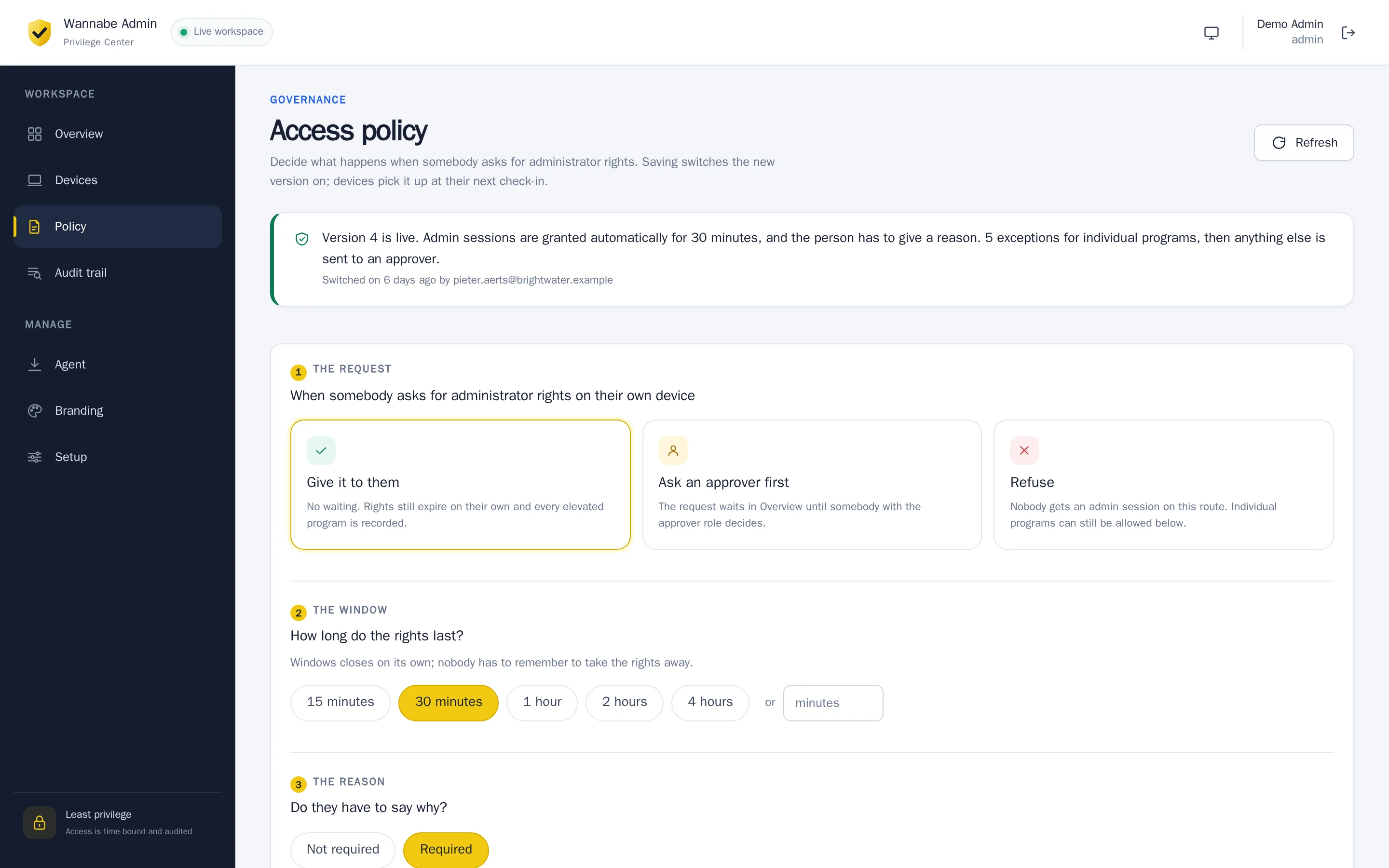
Match on publisher, path, product or file hash. Approve automatically, ask a person, or block.
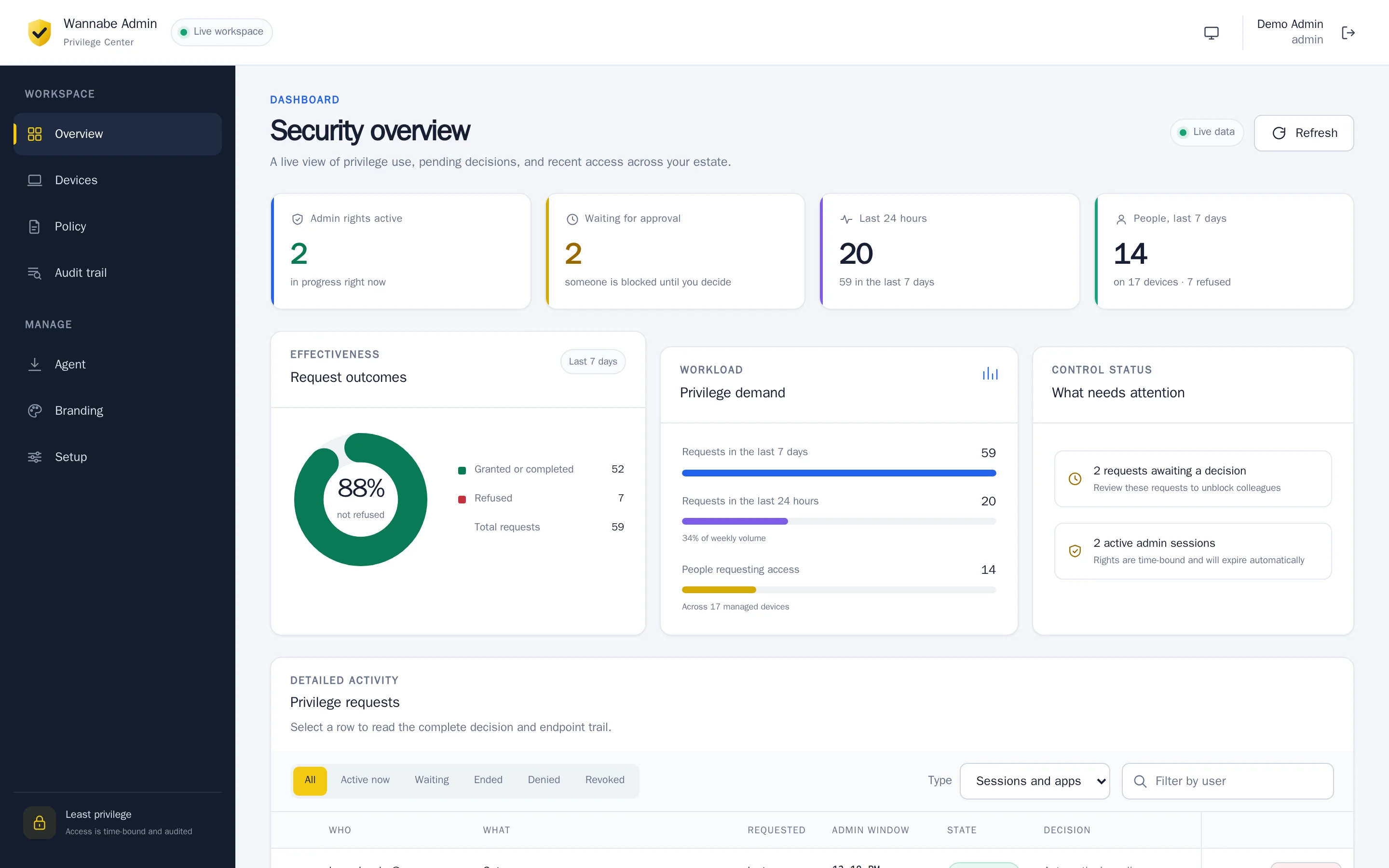
Approvers see who, on which device, what and why. Grant, shorten, deny or revoke early.
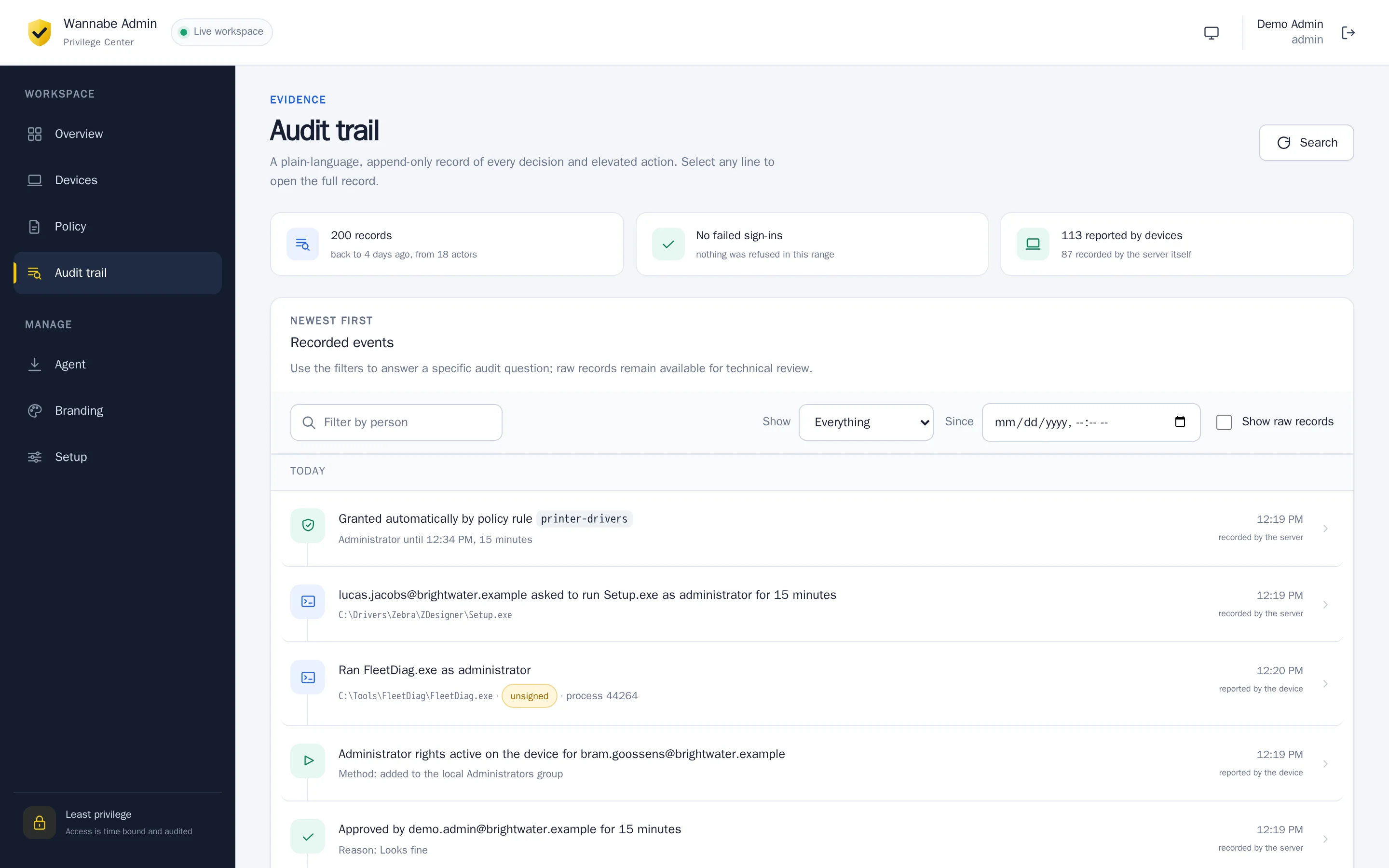
Append-only and hash-chained, so gaps and edits show. Written as sentences, not raw JSON.
Sign in with Microsoft, roles from Entra app roles, more than one tenant. The agent ships as a ready Intune package.
Devices enrol themselves. The server checks Entra, then issues each one a client certificate.
Every policy is signed with Ed25519. An agent refuses any document that does not verify.
Name, colours and logo of the desktop app, set in the portal with a live preview.
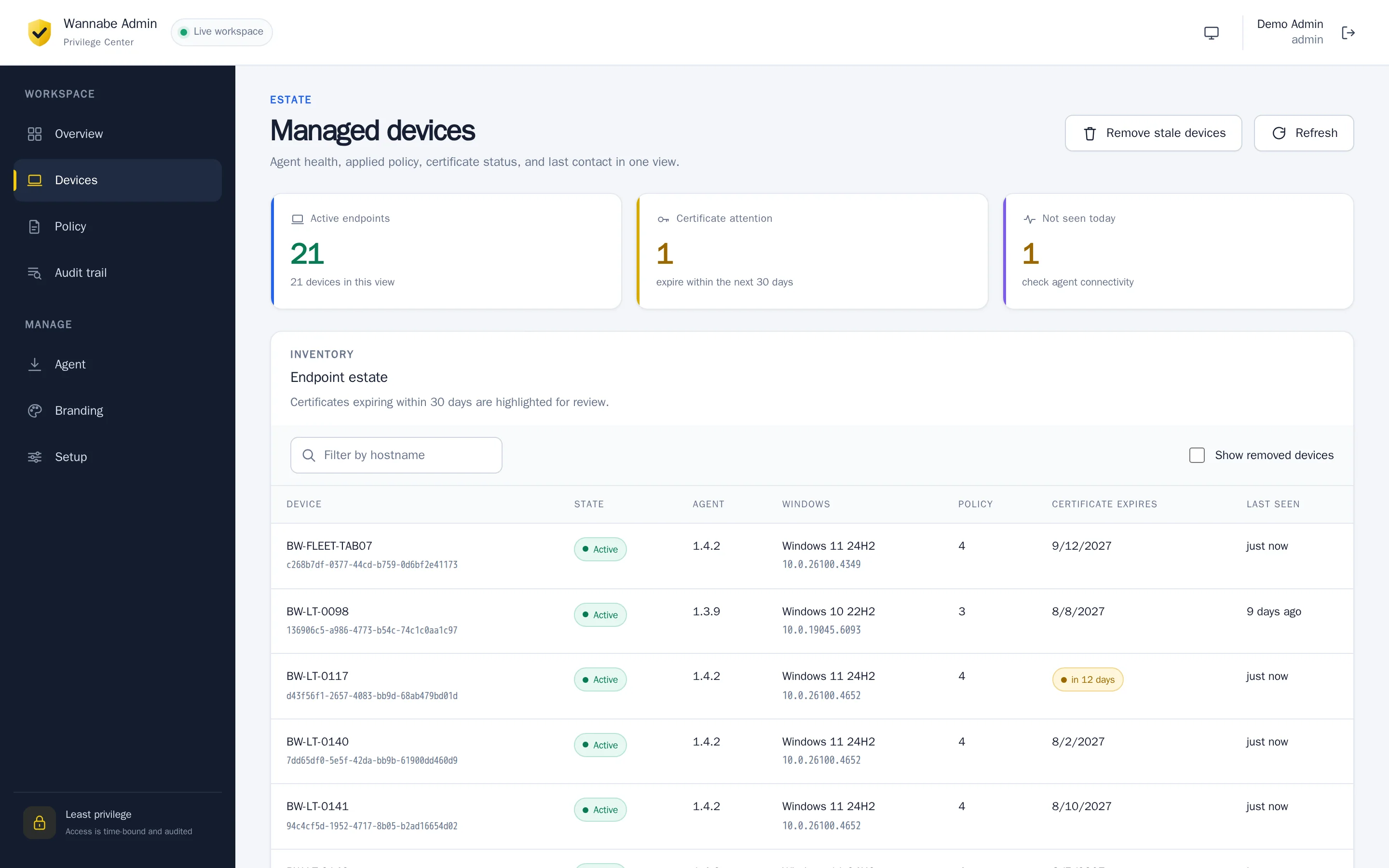
Inside the portal
Roadmap
Tray app, shipped as an Intune package.
Approvers hear about a request right away, and can decide from the message.
A security key or a code from an authenticator app, after the password.
No connection? The service desk reads out a code. It works once, on that device, and stops working the moment the device is back online.
Same flow from the menu bar, via Intune or any MDM.
Defender or VirusTotal verdict before elevation.
Audit trail to Sentinel, Splunk or syslog.